hewn.build is a test site. It works, and it is still being built. Things will change, sometimes overnight.

The plan,
re‑engineered
for your shop

Hewn takes a woodworking plan and rebuilds it around the tools you actually have. Where a step needs a tool you don't own, it shows the substitute. Where there isn't one, it says so, before you cut.

Adapt a plan → No account needed to try it. The calculators are free.
hewn.build/build?plan=entry-table&shop=stranger-shop
The Arched Entry Table, 18 parts and 65 steps, read in three shops. Every step is the same joint in every shop; the green ones are rewritten for the tools that shop owns, and a flagged step is one the plan will not guess at.
Built for the real shop, not the ideal one
No dado setNo jointerA cold garage or a heated houseBeginner or expert
How it works

Tell it what's on your bench. Pick a plan. Read what changes before you cut.

Step 1

Start with your tools.

Tap the tools you reach for first. Three to five taps. Nothing is saved anywhere but your browser until you ask.

Step 2

Pick a plan and see where it fits.

Every plan on the shelf says up front whether it builds in your shop, builds with substitutions, or not yet here, and which one tool would change that.

Step 3

Read the changes, then build.

The read-ahead shows every step that changed for your shop and why, what will move with the seasons, and what has no substitute. Then take it to the bench, one step at a time, and mark each one done.

Step 4

Reed is at the bench.

Reed is an AI that lives in the workbench. Ask a woodworking question while you build. Reed works for you, not for Hewn. If a tool you already own will do the job, it says so. In build mode it can see which step you're on.
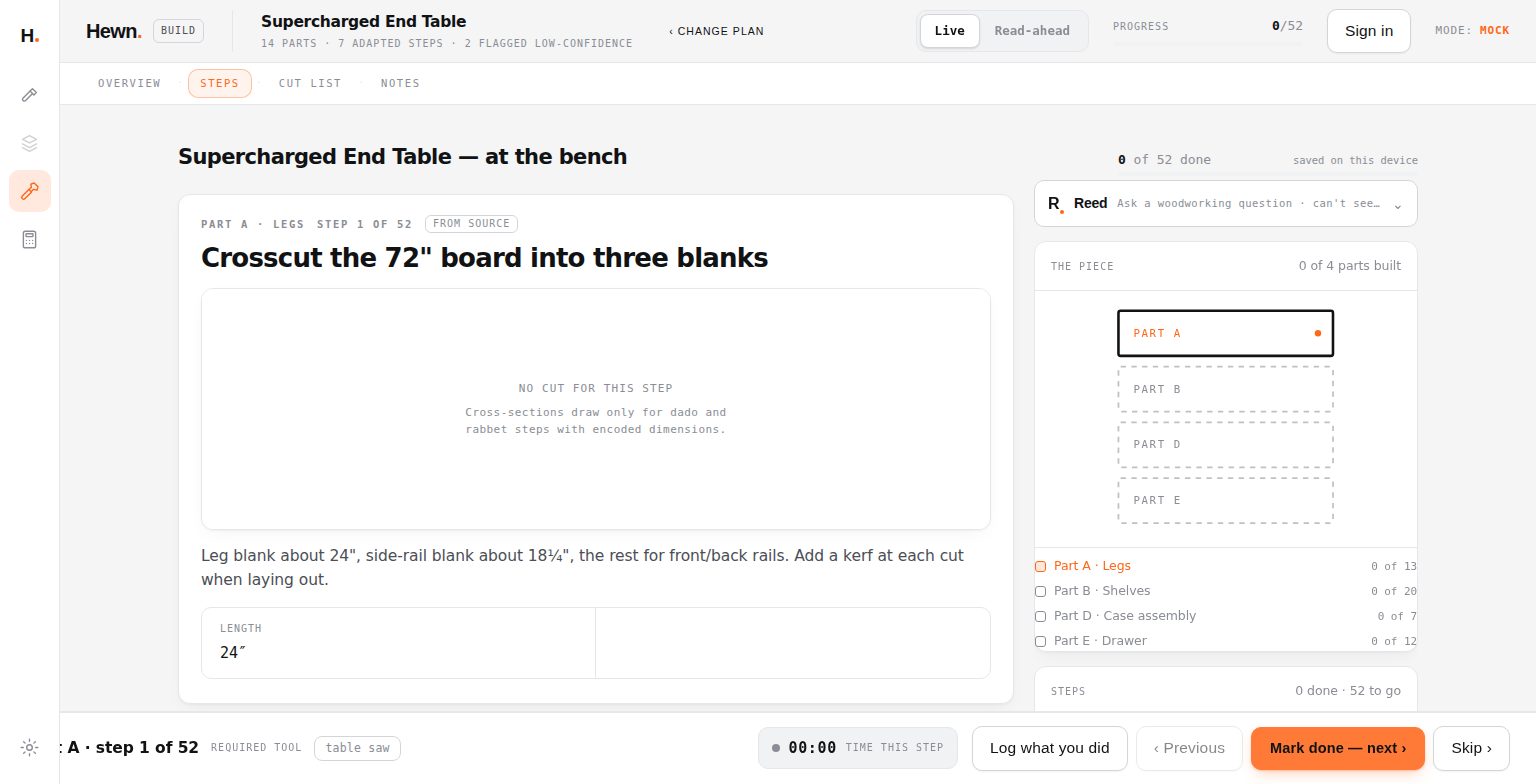
hewn.build/build?plan=end-table&shop=stranger-shop&mode=build
Build mode: the first of the end table’s 52 steps at the bench, with the plan’s own note and the length to cut.
The same table, at the bench.
Where this comes from

Hewn is building a library of human making: craft knowledge written down with where it came from, so it doesn't disappear with the people who carry it. This site is the first place that library does a job. The library has its own door.

What works today

Adapt

Pick a plan, pick a shop or set up your own, set your skill. The plan re-fits itself: substitutions where your tools differ, warnings where a step gets riskier, and a named gap where it honestly doesn't know.

Compare two shops

The same plan adapted to two shops, side by side, with the differences called out.

Build mode

One step large, the next action unmistakable, a timer, and check-off that stays on your device.

The Notebook

Save an adapted plan on your device, reopen it exactly as it was, or carry it out as a file.

Print and the cut list

A print view of the plan, and a materials view you can take to the lumberyard: parts, board feet, a shopping summary.

Calculators

Shop math, free, no account, at calc.hewn.build.

What it doesn't do yet

Read your own plan. You can upload one, but the part that reads a PDF or a photo isn't wired up, and the screen says so. The plans on the shelf are a small set to prove the machinery. The end table started from a plan we bought and is being redrawn as our own design; the others were written in-house. Each plan on the shelf has a picture; the end table has pictures on many of its steps and the wall shelf on some, and the other plans don’t yet. Nothing here is finished, which is why the line at the top says so.

Get started

Pick a plan. Keep your shop.

Adapt a plan → Try a calculator
Sign in needs an invite code. Adapting a plan doesn't. What we keep when you sign in, and what we don't, is on the privacy page.